User Account Settings
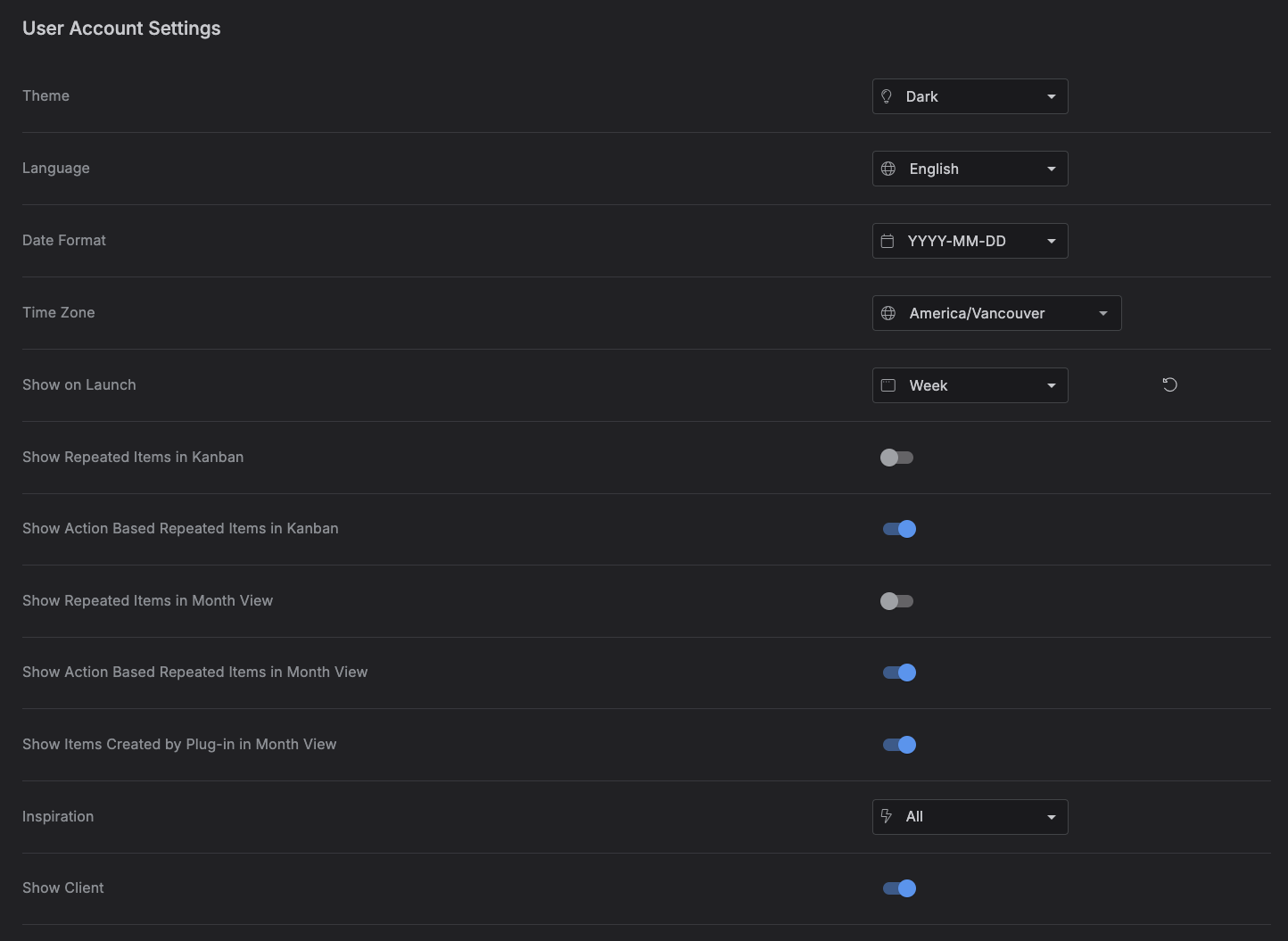
The User Account Settings tab holds your app preferences -- theme, language, date/time formatting, and a handful of display toggles. Each row saves independently: change a value and click that row's Save button (or Reset to discard the change) -- there's no single "save all" action for this tab.
Accessing the User Account Settings tab
Go to Settings → User Account Settings.
Settings
| Setting | Type | Options |
|---|---|---|
| Theme | Dropdown | Dark, Light |
| Language | Dropdown | English, Español, Français, Deutsch, Italiano, Nederlands, Português, Türkçe |
| Date Format | Dropdown | YYYY-MM-DD, MM/DD/YYYY, DD/MM/YYYY, MM-DD-YYYY, DD-MM-YYYY, DD.MM.YYYY, MMMM D, YYYY, D MMMM YYYY |
| Time Zone | Searchable dropdown | Any IANA time zone (e.g. America/Vancouver) |
| Show on Launch | Dropdown | 1 Day, 2 Days, 3 Days, Week, Month |
| Show Repeated Items in Kanban | Toggle | On / Off |
| Show Action Based Repeated Items in Kanban | Toggle | On / Off |
| Show Repeated Items in Month View | Toggle | On / Off |
| Show Action Based Repeated Items in Month View | Toggle | On / Off |
| Show Items Created by Plug-in in Month View | Toggle | On / Off |
| Inspiration | Dropdown | Business, Software Development, All, None -- "All" pulls quotes from every category; "None" turns the inspiration quote off entirely |
| Show Client | Toggle | On / Off |
Changing Language here also switches the app's language immediately, and following the app's language switcher elsewhere keeps this setting in sync.
Show on Launch does more than remember a preference -- it's what Kalendi uses to decide which calendar view to open when you launch the app without a specific page already in mind (i.e., no deep link).