Import Calendar
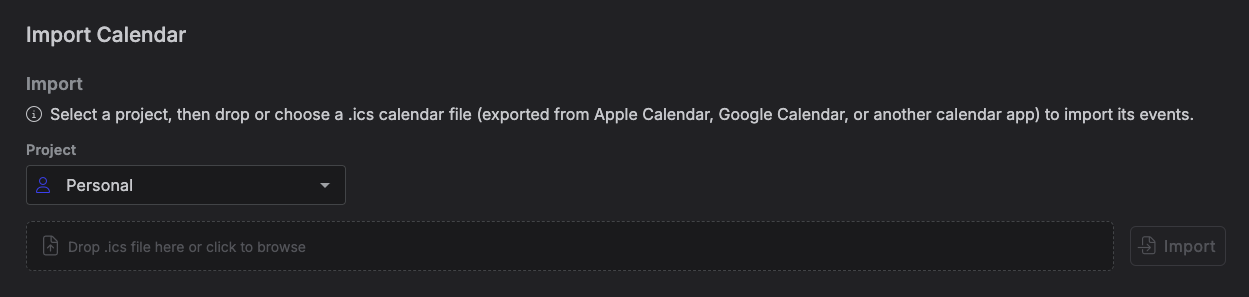
The Import Calendar tab lets you bring events from another calendar app into Kalendi by
uploading a .ics file -- the standard calendar-export format used by Apple Calendar, Google
Calendar, Outlook, and most other calendar apps.
Note
This is a one-time file import, not a live sync. There's no "Connect Google Calendar" style
connection -- you export a .ics file from your other calendar app first, then upload it
here. Nothing is kept about where the file came from, so you can re-run an import with a
different file (or project) any time.
Accessing the Import Calendar tab
Go to Settings → Import Calendar.
How it works
- Choose a project. This defaults to your "Personal" project -- change it if you want the imported events to land somewhere else.
- Drop or choose a
.icsfile. - Click Import.
When it finishes, you'll see a message like "3 items imported, 1 skipped."
How events are mapped
Each event in the file becomes a Kalendi item:
.ics field |
Becomes |
|---|---|
SUMMARY |
Title (truncated to 200 characters; "Untitled" if missing) |
DESCRIPTION |
Description |
LOCATION |
Location (truncated to 500 characters) |
DTSTART / DTEND |
Start / end date-time |
| All-day flag | All-day |
A .ics file doesn't carry a Kalendi item type, task status, or priority, so every imported item
is created with your item type named "Event", your first task status, and your priority named
"Medium." You can change any of these on the items afterward.
Note
If you've renamed or deleted the item type normally named "Event" (or the priority normally named "Medium"), Kalendi falls back to an arbitrary item type or priority on your account instead -- so imported items may land with an unexpected type or priority. Renaming or deleting either is uncommon, but worth knowing if imported items look off.
Recurring events import as a single occurrence
If an event repeats (has an RRULE), Kalendi imports only that one occurrence -- using its
own start/end time -- rather than creating a repeating item. A weekly recurring meeting, for
example, comes in as a single item, not a series.
Events marked STATUS:CANCELLED in the file, and events with no start date, are skipped rather
than imported.
Limits and errors
- The file must be a valid
.ics(iCalendar) file, no larger than 5 MB. - Import fails with an error if the file isn't UTF-8 text, isn't valid iCalendar, or if your account has no default project/item type/task status/priority configured yet.
No duplicate detection
Kalendi doesn't check for duplicates before importing -- if you import the same file twice, you'll get two copies of every event. There's no matching against items already in Kalendi.